
- Prior to testing
- Checking in
- During exam
- General
Prior to testing
Q. Where can I take my exam?
A. You need to test in an enclosed, private space where you can maintain a strong and stable internet connection, prevent interruptions, and protect the integrity of your exam content.
Important: Avoid a testing space with windows or glass partitions that would allow a third party to see your screen, or your exam could be revoked.
Q. How do I know my computer will work with the OnVUE software?
A. To ensure your system will work with our software, first, review the minimum system requirements. Next, perform a system test and download the OnVUE software prior to your exam day.
On exam day, before your exam begins, we strongly recommend re-checking your system by running another system test. If you experience any issues, please log back into your account to reschedule your exam. If you can’t reschedule your exam, use the chat feature to ask your program-specific customer service team for assistance.
Q. What does the system test check for?
A. The system test checks for:
- Download of the OnVUE application and secure browser
- Unzipping and launching of the secure browser
- Microphone/webcam/speaker functionality and permissions
- Download speeds
- General communications between OnVUE and Pearson VUE servers
- A live video-streaming connection
Q. How do I schedule my OnVUE exam?
A. Once you’ve verified your computer meets system requirements, sign into your account. Select the exam you want to take, then choose the “home or office” option. Follow the remaining prompts to schedule your exam appointment. You will receive a confirmation email with your appointment details and important information for exam day.
Q. Is my testing space okay for testing?
A. Your proctor will make this decision prior to starting your exam. During check-in, you will be asked to take photos of your testing space (opens in new window), which the proctor will review.
For a positive outcome, make sure your space is private and secure. Clear the room of any preparation materials or unauthorized items. Unplug and/or turn off additional monitors (and, if applicable, systems). Any visible materials on the walls—including sticky notes, whiteboards or chalkboards, etc.—may be inspected by your proctor, and we may ask you to remove any such material.
Important: If your testing space fails the room scan, you will not be permitted to take the exam and may forfeit your exam fees.
Q. Can I take my exam using an employer-issued computer?
A. Yes, however, we don’t recommend it. Test-takers typically have a better experience with personal computers. This is because employer-issued computers are more likely to have firewalls, VPNs, and other security policies that may block video streaming during the exam. If you must use an employer-issued computer to take your exam, it’s crucial to review the technical requirements.
Q. May I connect by tethering to a mobile hotspot?
A. We don’t recommend it. Hotspot technology is not ideal for maintaining a reliable and consistent connection. To ensure optimal performance on exam day, perform a system test.
Checking in
Q. How do I check in for my test and download the software?
A. You may have two options:
- Refer to your confirmation, reschedule or reminder email, which might have a Check-in to start exam link. If it does, you can click this link from 30 minutes before to 15 minutes past your appointment start time.
- Click the “Sign in now” button on this page or your test sponsor’s external landing page. Once you’ve logged into your account, your exam will appear under Open Online Exams. Select the exam link and then select Check-in.
With either process, you’ll be asked to download and run OnVUE, our online proctoring software.
Q. I don’t see the Check-in button. What should I do?
A. To check in for your exam, log in to your account no earlier than 30 minutes before your scheduled appointment time. Once logged in, you should see the Check-in button. If it’s not visible within 15 minutes of your exam appointment time, contact your program-specific customer service team via chat.
Q. What type of identification will I need?
A. Click the View ID requirements button on this page to make sure you have the proper ID for online-proctored testing.
Q. My proctor hasn’t started my exam yet. Where is my proctor?
A. Once you’ve completed the required check-in steps and have completed taking photos of your face, ID and environment, you will see the following message: You are almost done with the check-in process. Next, you’ll be placed in a queue and will wait momentarily while a proctor reviews your check-in steps. Please be aware, other candidates may be ahead of you in line. The OnVUE application should tell you where you are in queue. Most exams are launched by a proctor within 15 minutes of the appointment start time.
Any delay might mean there’s a problem with your photos or internet connection. For issues with your photos, a proctor will attempt to reach you over chat or via your cell phone. You may not recognize the phone number, which will either have a 617 US area code or say “Pearson VUE” on the caller ID, but please answer so we can assist. If we haven’t contacted you within 30 minutes, we may have lost connection to you. In such cases, please contact our customer service team via Pearson OnVUE Support live chat. As a reminder, mobile devices must be kept out of arm’s reach during the testing sessions.
During exam
Q. Can other people be in my testing space during the exam?
A. No. You cannot allow anyone else—including children, roommates, colleagues, etc.—to enter or even pass through your testing space once you’ve started your exam.
Q. Can I receive any exam assistance during the test?
A. No. The proctor cannot answer questions related to exam content, and you may not get help from other individuals while taking the exam.
Q. Is technical software assistance available during the exam?
A. Should you experience technical difficulties during your exam, simply raise your hand using the OnVUE application at the top of your screen and a proctor will assist you. If for some reason this is unavailable, you can get help via the chat button on this page or the OnVUE download page.
Most issues can be avoided by completing a system test and ensuring that you meet all system requirements in advance of testing. Common issues include an unreliable internet connection and third-party applications trying to run during your exam. We strongly recommend that candidates confirm that all applications have been closed and that there is a sufficient and reliable internet connection prior to testing.
Q. What are the rules regarding personal belongings?
A. In general, all personal belongings must remain out of arm’s reach during your exam. However, if your exam program allows personal belongings or testing tools like calculators during an exam, you will find that information in the program-specific policies section of this page.
Q. Can I eat or drink during the exam?
A. Drinking beverages is allowed during your exam, as is chewing gum. Eating or using tobacco products during your exam is prohibited.
Q. Can I take a break during the exam?
A. Each exam program establishes its own break policies. If your program allows breaks, you’ll find that information in the program-specific policies section of this page.
Q. Could I be interrupted by a proctor during my testing session?
A. Yes. Proctors may interrupt exams and take action if they witness any suspicious behavior or rule violations. They may need to offer a reminder (e.g., no talking) or investigate something (e.g., show me the room, your desk, etc.).
Q. What types of prohibited behaviors will the proctor watch for during the exam?
A. Examples of prohibited behaviors include, but are not limited to, failing to follow proctor instructions, looking off the screen, mumbling or speaking aloud, covering your mouth or face, using unauthorized materials (e.g., mobile phones, recording equipment, writing materials), interacting with third parties intentionally or unintentionally, or leaving the webcam view.
Q. What happens if I lean outside the view of the webcam or leave completely?
A. Unless it’s during a scheduled break built into your exam, leaving the webcam view for any reason or duration, even if you have already completed the exam questions, will result in your exam session being terminated and the exam result being invalidated.
Important: Upon exam completion, you must fully close the OnVUE application before leaving the webcam view.
Q. What happens if my mobile phone rings or issues a notification during an exam?
A. You may keep your mobile phone nearby, out of arm’s reach, during your exam in case the proctor needs to call you. Any mobile phone use other than speaking with a proctor is grounds for exam revocation.
When a proctor needs to reach you, they will call, not text. The number will always display as 617-379-0635, and/or caller ID may identify the number as “Pearson VUE.” If this information appears, please answer the call. If your phone rings and the call is not from a Pearson VUE proctor, do not answer it.
If you receive a text or other notification, ignore it and continue testing. If you wish to silence your phone, alert the proctor so they know you are accessing your phone only to silence notifications.
Q. Can tablets or mobile devices be used for OnVUE exams? What about touchscreens?
A. At this time, OnVUE exams may only be taken on desktop and laptop computers running Windows or macOS operating systems that meet these minimum specifications. OnVUE does not support the use of tablets or touchscreens. As noted above, mobile devices are not allowed and should be placed out of arm’s reach.
Q. What happens if my internet connection is disrupted during an exam or the proctor asks me to restart my application?
A. If a disconnection occurs, the exam timer will pause, and a proctor will attempt to contact you either through your computer or by phone. Note: You must respond or your testing session will be revoked.
Should you lose connection, or if a proctor asks you to restart OnVUE, you can relaunch the application as follows:
- Locate your Downloads folder and reopen the OnVUE application.
- Complete any necessary check-in steps and then click Next. Your exam should reload and begin. If your exam does not relaunch, contact our customer service team via chat for additional support.
Once your connection is reestablished and if necessary, the application restarted, you will resume your exam from the question or moment you left.
Q. Can I adjust my font size during my exam?
A. Yes. Even when the testing computer is locked down during an exam, you may still use CTRL+ and CTRL- to magnify content up to 200%. Do not use touchscreen technology at any time during your exam.
Q. Can I read questions aloud during OnVUE exams?
A. No. If this happens, a proctor will ask you to stop reading the questions aloud. If you continue, your exam may be revoked.
Q. What is the digital whiteboard?
A. Because scratch paper or note boards are not allowed when taking an OnVUE exam, some exam programs allow you to use a built-in digital whiteboard to do scratch work or take notes (Opens in new window).
Q. Where can I locate my score report?
A. This differs by exam program. Please review your program’s processes to learn when and where you can access your score report.
Q. Can I use headphones?
A. Headphones and headsets (wired or Bluetooth) are not allowed unless explicitly approved by your test sponsor.
General
Q. Are OnVUE testing policies different from test center policies?
A. Yes. Because of its remote nature, testing with OnVUE requires that candidates agree to additional policies that help protect exam integrity. These include (but are not limited to) consenting to recording and monitoring throughout the exam, along with the use of artificial intelligence (AI) and other advanced technology techniques. Test-takers must accept these policies during the registration process prior to scheduling an exam.
Q. If an exam is offered in both test centers and via OnVUE, can I book the exam in one delivery method and reschedule it to the other?
A. No, as the rescheduling function cannot be used to change the exam delivery method. Instead, if you wish to change the delivery method, you must cancel the original appointment and then schedule a new one.
- PTE Speaking Practice Test
- PTE Writing Practice Papers
- PTE Reading Practice Paper

Content Writer at Study Abroad Exams | Updated On — Feb 13, 2023
PTE exam sample papers offer a variety of questions with varying degrees of difficulty to candidates. Since authentic exam resources like PTE sample paper PDF from the official guide contain every possible form of question, they provide the ideal learning experience. PTE practice test comprises numerous question types of reading, listening, writing, and speaking. The PTE sample tests have been a proven source of preparation for PTE.
PTE Preparation Books
The best PTE books for preparation for the PTE examination are mentioned below.
- The Official Guide to PTE Academic – Check PDF
- PTE Academic Practice Test Plus – Volume 1 – Chcek PDF
- Pearson Test Of English Academic Practice Tests Plus
- Wiley’s PTE Advantage For The Academic Module
- PTE Academic Testbuilder
- A Masterpiece Of Essays 3
PTE Exam Sample Papers
Here PTE question papers are helpful for candidates taking the PTE exam. Candidates must gather PTE previous year question paper to have proper knowledge about the PTE exam pattern. Here are the PTE sample question paper and PDFs for preparation.
PTE Writing Practice Test
PTE Speaking Practice Test
PTE Reading Practice Test
PTE Listening Practice Test
*The article might have information for the previous academic years, which will be updated soon subject to the notification issued by the University/College.
Practice Papers
PTE Writing Practice Paper 16
PTE Reading Practice Test 29
PTE Writing Practice Paper 3.pdf
PTE Speaking Practice Test 18.pdf
PTE Listening Practice Paper 1
PTE Writing Practice Paper 14
PTE Listening Practice Test 13
PTE reading sample 3.pdf
PTE Speaking Pratice Paper 7
PTE Speaking Practice Test 15
PTE Reading Practice Paper 19
PTE Reading Practice Test 33
PTE Reading Practice Test 26
1612126313PTE Listening Practice Paper 5.pdf
PTE Speaking Practice Paper 5
PTE Reading Practice Paper 24
PTE reading sample 7.pdf
PTE Writing Pratice Paper 9
PTE Writing Practice Test 21
PTE reading Practice Paper 2.pdf
PTE Speaking Practice Paper 6
PTE Speaking Practice Test 12
PTE Listening Practice Test 16
PTE Writing Practice Paper 5
PTE Speaking Practice Paper 8
PTE Reading Practice Test 30
PTE Speaking Practice Test 19.pdf
PTE Listening Practice Paper 2
PTE Writing Practice Paper 10
PTE Reading Practice Paper 21
PTE reading sample 4.pdf
PTE Writing Pratice Paper 8
1628768917Kiran-Written-PTE Writing Practice Test
PTE Speaking Practice Paper 1.pdf
PTE Speaking Practice Paper 3
PTE Reading Practice Paper 20
PTE Reading Practice Test 34
PTE Speaking Practice Paper 6
PTE Reading Practice Test 27
PTE Speaking Practice Paper 2.pdf
PTE Speaking Practice Test 16
PTE reading sample 8.pdf
PTE Writing Pratice Paper 10
PTE Writing Practice Test 22
PTE Reading Sample fill in the blanks.pd
PTE Listening Pratice Paper 6
PTE Speaking Practice Test 13
PTE Listening Practice Test 17
PTE Writing Practice Paper 6
PTE Reading Practice Paper 10
PTE Reading Practice Test 31
PTE Speaking Practice Test 20.pdf
PTE Listening Practice Paper 3
PTE Writing Practice Paper 11
PTE Reading Practice Paper 22
PTE reading sample 5.pdf
PTE Reading Pratice Paper 8
PTE Writing Practice Test 19
PTE Writing Practice Paper 1.pdf
PTE Speaking Practice Paper 4
PTE LISTENING PRACTICE PAPER 11.pdf
PTE Listening Practice Test 14
PTE Reading Practice Test 28
PTE Writing Practice Paper 2.pdf
PTE speaking practice paper 17.p
PTE reading sample 9.pdf
PTE Writing Practice Paper 13
PTE Listening Practice Test 12
PTE writing Practice Paper 1.pdf
PTE Listening Pratice Paper 7
PTE Speaking Practice Test 14
PTE Listening Practice Test 18
PTE Writing Practice Paper 7
PTE Reading Practice Paper 18
PTE Reading Practice Test 32
PTE Reading Practice Test 25.pdf
1612126313PTE Listening Practice Paper 4.pdf
PTE Writing Practice Paper 15.pdf
PTE Reading Practice Paper 23
PTE reading sample 6.pdf
PTE Reading Pratice Paper 9
PTE Writing Practice Test 20
PTE reading Practice Paper 1.pdf
PTE Speaking Practice Paper 5
PTE LISTENING PRACTICE PAPER 10
PTE Listening Practice Test 15
PTE Writing Practice Paper 4
READ ALOUD
Read a text and read it as accurately as possible into the microphone. Pay attention to the content, pronunciation and fluency.
go to practice test
REPEAT SENTENCE
Listen to a short audio and repeat it exactly as you heard. Try to get as many words correct as possible and pay special attentio to how you speak.
go to practice test
DESCRIBE IMAGE
Look at the image on the screen and try to pick the key information in the image. Then put it in a well structured response.
go to practice test
RETELL LECTURE
Listen to a lecture or a speech and try to understand the information conveyed in it. Then retell the main points in your response.
go to practice test
ANSWER SHORT QUESTION
You will hear a short question based on some general topic. Give a one word or a couple of words answer to that question quickly.
go to practice test
WRITE ESSAY
Write an essay on the given topic. You will have 20 minutes to write the essay, and you should write between 200 and 300 words.
go to practice test
SUMMARIZE TEXT
Read the text on the screen. Write a one sentence summary of that text in 10 minutes. You should write only 1 sentence and between 5 and 75 words.
go to practice test
READING – MULTIPLE CHOICE SINGLE ANSWER
Read the text on your screen and then answer a question based on the text. Select one from the given options.
go to practice test
READING – MULTIPLE CHOICE MULTIPLE ANSWERS
Read the text on your screen and then answer a question based on the text. Select all correct options.
go to practice test
READING – FILL IN THE BLANKS
Fill in the blanks in the text on the screen. Dragwords from the given options and drop them into the right blanks.
go to practice test
READING & WRITING – FILL IN THE BLANKS
Fill in the blanks in the text on the screen. For each blank select one of the words in the dropdown of choices.
go to practice test
REORDER PARAGRAPHS
Arrange the paragraphs of the text on screen in the correct order. You will get a point for each pair of paragraphs that you put in the right order.
go to practice test
SUMMARIZE SPOKEN TEXT
Listen to an audio and write a summary of what you have just heard. Write between 50 and 70 words. You will 10 minutes to write your summary.
go to practice test
LISTENING – MULTIPLE CHOICE SINGLE ANSWER
Listen to an audio and answer a question based on the audio. You have to pick the correct option from the given choices.
go to practice test
LISTENING – MULTIPLE CHOICE MULTIPLE ANSWERS
Listen to an audio and answer a question based on it. Select all the correct options from the given choices. There is negative marking for selecting wrong options.
go to practice test
LISTENING – FILL IN THE BLANKS
Listen to an audio and fill the blanks in the transcript on screen by picking the right words from the audio.
go to practice test
HIGHLIGHT INCORRECT WORDS
Listen to an audio and click and highlight all words in its transcript that are different from the ones in the audio. There is negative marking for highlighting wrong words.
go to practice test
HIGHLIGHT CORRECT SUMMARY
Listen to an audio and select its correct summary. You have to pick one from the given options.
go to practice test
SELECT MISSING WORD
Listen to an audio and identify the missing word in the end of the audio. You have to select one option from the given choices.
go to practice test
WRITE FROM DICTATION
Listen to an audio and write down what you have heard. Try to write all the words and in the right order.
go to practice test
Login
Search Result for
pte academic
Learners’ Top Choice
-
CAEL Mock Test — 1
79 Ques | 195 Min
Details
Take Free Test
Если про IELTS, самый популярный тест английского языка для учебы и работы за рубежом, известно много, то про другие, не менее хорошие варианты тестирования, информацию найти сложнее. В этой статье мы хотим рассказать об альтернативе IELTS — Pearson Tests of English (PTE).
Экзамен пока не принимается в России и Украине, но его можно сдать в Казахстане, Турции или непосредственно в Новой Зеландии. Полный список центров сдачи можно найти здесь. Записаться на экзамен очень легко, а ждать результат придется не больше 5 дней — обычно его присылают уже через 24 часа. В этой статье мы собрали всю полезную и актуальную информацию по сдаче PTE.
Содержание:
- Что такое PTE (Pearson Tests of English)
- Для чего сдают экзамен
- Разновидности экзаменов PTE
- Структура PTE Academic
- Регистрация на PTE и получение результатов
- Плюсы PTE Academic
- Полезные ссылки для подготовки к экзамену
PTE (Pearson Tests of English) – это международный экзамен по английскому языку для не носителей языка.
Сдав PTE и набрав определенный балл, вы сможете поступить в зарубежные учебные заведения и предъявить при устройстве на работу, так как он признается во многих странах мира.
У сертификата PTE нет срока давности, что дает ему весомое преимущество перед IELTS. Однако нужно быть готовым к тому, что приемные комиссии зарубежных университетов могут потребовать «свежих» результатов языковых экзаменов (не более 2х лет с момента тестирования).
Тест полностью проводится на компьютере, что, несомненно, является плюсом, так как результат зависит только от ваших реальных знаний, а не настроения и субъективной оценки экзаменатора.
Нельзя не отметить и еще одну положительную сторону PTE – по многим отзывам людей, прошедших этот экзамен, подготовиться и сдать его проще, чем тот же IELTS. Но это, конечно же, не исключает того факта, что к подготовке нужно подходить со всей серьезностью и ответственностью.
Для чего сдают экзамен
- Поступление в зарубежные учебные заведения;
- Трудоустройство в англоязычные компании;
- Определение текущего уровня собственных знаний;
- Иммиграция.
Максимально возможное количество баллов — 90. Для поступления на программы level 8 и 9, а также подачи на резидентство достаточно будет набрать 58 баллов. Для поступления на Level 7 — 50 баллов.

Разновидности экзаменов PTE
- PTE Academic – академический модуль для будущих студентов, так как именно его результат предъявляют при поступлении в зарубежные учебные заведения. Признается для иммиграционных целей. Доступен для сдачи с 16 лет. Детям младше 18 лет необходимо будет предоставить письменное разрешение от родителей.
- PTE General – общий модуль, фокусируется на оценке способности к общению на английском языке, а не на прохождении тестов. Не признается в иммиграционных целях.
- PTE Young Learners – экзамен для детей от 6 до 13 лет.
Также есть тест Business English Test, который не входит в официальную линейку экзаменов Pearson, но указан на официальном сайте как один из экзаменов, предоставляемых компанией. Business English Test – тест на знание делового английского, который Pearson Group проводит совместно с LCCI International qualifications. Экзамен ориентирован на кандидатов, желающих получить сертификат для работы в бизнес-среде.
Структура PTE Academic
Структура PTE несколько отличается от всем известного IELTS. Но также состоит из секций : Speaking, Writing, Reading and Listening.
Speaking & Writing
Длительность 77-93 мин, состоит из нескольких небольших заданий на понимание текста:
- Краткий рассказ о себе (25 секунд на подготовку и 30 секунд на сам ответ). Ваш ответ не будет оцениваться и никак не повлияет на результат вашего теста, но это не значит, что это задание можно проигнорировать. Подготовьте текст заранее, заучите его. Это поможет вам не задумываться и дать наиболее полный ответ на вопрос.
- Чтение вслух. Главный секрет успеха этого задание — практика. Уделяйте чтению минимум 15 минут ежедневно, уже через неделю вы заметите результат.
- Повторение предложения после прослушивания. Если вы не находитесь в англо-англо-говорящей среде, это задание может показаться вам достаточно сложным. Привыкайте к английской речи, смотрите фильмы на английском, слушайте англо-язычные новостные каналы, подписывайтесь на интересные подкасты. Важно отметить, что больший прогресс вы заметите, если выберите для прослушивания интересные для себя темы.
- Описание картинки (график/таблица/процесс). На изучение картинки отводится 25 секунд, на ответ – всего 40 секунд, поэтому стоит заранее позаботиться и заучить наиболее часто используемые в описании графиков и таблиц фразы.
- Пересказ прослушанной или просмотренной лекции своими словами. Советы ни к чему, только практика.
- Ответы на короткие вопросы. Ответ обычно состоит из одного слова или слова и артикля (the or a), в зависимости от контекста. Вопросы достаточно простые, не требующие глубоких познаний в различных сферах.
- Написание эссе на 200-300 слов. У вас будет 20 минут на выполнение. Основная задача — раскрытие темы, приведение двух фактов за, двух фактов против и ваш вывод. Данный совет не является единственно правильным, он лишь основан на опыте сдачи PTE множеством студентов. Здесь важно отметить, что при сдаче PTE текст набирается на компьютере и количество знаков подсчитывается автоматически, что очень удобно и помогает сэкономить время. Постарайтесь как можно реже использовать Backspace, выделяя ошибки мышкой и набирая текст заново.
Reading
Длительность 32-41 мин, включает в себя задания на выбор правильного варианта ответа, упорядочения текста и заполнение пробелов в предложениях и тексте.
- Ответить на вопрос, выбрав один вариант из предложенных. После прочтения текста длинной до 300 знаков необходимо выбрать единственный верный вариант.
- Ответить на вопрос, выбрав несколько вариантов из предложенных. Принцип такой же как и в предыдущем пункте, но нужно помнить, что правильных ответов в этом случае несколько.
- Расположение параграфов в правильном порядке. На экране будет представлен текст объемом примерно в 150 слов, разбитый на несколько расположенных в произвольном порядке параграфов. При помощи мышки их необходимо переместить так, чтобы порядок стал правильным. Перед выполнением задания важно быстро прочитать каждый блок текста и постараться понять их смысл. Это поможет сориентироваться и даст больше шансов на успешный результат.
- Заполнение пробелов в тексте. Для заполнения пропусков можно использовать слова, расположенные под текстом. Их можно перетаскивать мышкой. При этом необходимо помнить, что предложенных слов больше, чем пробелов, поэтому какие-то из них останутся неиспользованными.
- Заполнение пропусков в тексте. Похожее задание, различие лишь в том, что при щелчке на пробел появляется выпадающий список, из которого необходимо выбрать правильный вариант. Внимательное прочтение всего предложения и понимание его смысла поможет определиться с правильным вариантом ответа.
Listening
Длительность 45-57, состоит из заданий, основанных на прослушивании и просмотре аудио и видеозаписей. Все они начинают воспроизводиться автоматически и проигрываются только один раз, поэтому слушать их нужно очень внимательно. При этом Вы можете делать заметки.
- Резюмирование прослушанной информации. В первом задании этой части экзамена необходимо прослушать запись и за 10 минут написать ее краткое изложение длинной 50-70 слов. Убедитесь, что Вы смогли передать основную мысль текста.
- Ответ на вопрос путем выбора нескольких вариантов из предложенных. При прослушивании обращайте внимание на детали и основную мысль текста. Старайтесь выбирать ответы, подходящие по смыслу. Помните, что ответы, содержащие слова, услышанные в записи, не всегда являются правильными.
- Заполнение пропусков в экранном тексте на основании прослушанной записи. Постарайтесь быстро просмотреть текст перед началом задания. Во время прослушивания старайтесь не концентрироваться на правильном написании слов. Записывайте их в заметках так, как по Вашему мнению Вы их слышите. После завершения записи вы можете прочитать текст и, использовав свои записи, определить пропущенные слова и то, как они пишутся. Только после этого напечатайте их на месте пробелов.
- Выбор из предложенных одного ответа, который верно передает смысл текста аудиозаписи. Не пытайтесь прочитать варианты до или во время прослушивания, это может сбить Вас с толку. Вместо этого лучше делайте заметки и после используйте их для выбора наиболее подходящего по Вашему мнению ответа.
- Выбор единственно верного ответа на основании прослушанной записи. Простой и действенный совет: пробегитесь глазами по вопросу и предложенным ответам до начала проигрывания аудио.
- Выбор пропущенных слов. Для каждого случая будет несколько вариантов ответов, но только один будет верным. Слушайте внимательно и вот Вы уже на полпути к верным ответам.
- Выбор неверных слов. На экране будет представлена транскрипция аудио. Во время прослушивания необходимо выделить те слова, которые не соответствуют словам в записи. Не старайтесь делать заметки, сосредоточьтесь на проверке текста курсором во время прослушивания.
- Диктант. После прослушивания предложения его нужно будет записать. Постарайтесь напечатать как можно больше слов в правильном порядке.
Примечательно, что тест PTE Academic сдается в формате онлайн, без участия экзаменатора. В течение трёх часов кандидат проводит за работой на компьютере: читает текст в микрофон, прослушивает аудиофрагменты в наушниках, делает записи в специальной программе, что освобождает аппликанта от личной беседы с экзаменатором. Не пренебрегайте настройкой микрофона — это поможет избежать лишних шумов и более четкому распознаванию вашего произношения. Найдите рекомендации на этот счет в Youtube.
Подробное описание каждого этапа и маленькие подсказки можно найти на официальном сайте Pearson PTE Academic.

Регистрация на PTE и получение результатов
Кандидаты, желающие принять участие в тестировании PTE, первым делом должны пройти регистрацию на официальном сайте экзамена, т.е. завести собственный аккаунт. Далее необходимо выбрать тест и оплатить участие в экзамене. Подать заявку необходимо за 4 недели до выбранной даты прохождения теста. Данное правило не распространяется на экзамен PTE Academic, поскольку зарегистрироваться на него можно за 24 часа до начала тестирования, но за это придется дополнительно доплачивать.
Результат по PTE Academic, приходят в течение 5 дней после тестирования. Чаще всего результат на руках в течение первых 48 часов после экзамена. Каждый кандидат вместе с официальным сертификатом получает анализ результатов сдачи языкового экзамена по каждому из четырех компонентов (чтение, письмо, говорение и аудирование).
Где можно сдать
Ближайшее место для сдачи – Турция или Казахстан. Подробную географию можно посмотреть на официальном сайте Pearson PTE Academic.
Стоимость
Стандартная цена – около US$ 245
Цена зависит от страны, в которой вы планируете сдавать тест
Плюсы PTE Academic
- Возможность зарегистрироваться для прохождения тестирования за 24 часа до его начала;
- Высокая скорость получения результата тестирования в срок до пяти рабочих дней;
- Возможность отправить свои результаты во все вузы из базы данных компании Pearson;
- Нет очереди на сдачу экзамена, гибкий график выбора времени и даты;
- Минимальный требуемый балл для поступления на учебу или подачи на резидентство меньше, чем в IELTS;
- Тест сдается на компьютере в формате онлайн;
- Принимается практически во всех вузах, а также в целях получения виз в Новую Зеландию и Австралию;
- Результаты PTE можно отправить в неограниченное число учебных заведений, которые находятся в базе данных Pearson. Данная опция предоставляется бесплатно;
- Пересдавать экзамен можно неограниченное количество раз;
- Возможность пройти бесплатное пробное тестирование, которое поможет познакомиться с форматом теста, определить свои сильные и слабые стороны.
Полезные ссылки для подготовки к экзамену
- Официальный сайт экзамена.
- Официальный канал экзамена PTE на Youtube.
- Центры PTE Academic можно найти по ссылке.
- Ресурсы по подготовке к PTE Academic.
- На сайте E2 Language можно сдать бесплатную пробную версию.
- Полезный Youtube канал E2 PTE Academic с обучающими уроками.
Желаем удачи в сдаче экзамена!
Читайте далее
Описание языковых экзаменов
NZCEL — New Zealand Certificate in English Language
Как переехать в Новую Зеландию
Свежие статьи

28 февраля 2023
Как грамотно показать финансы, чтобы не отказали в визе
Как правильно показать деньги на счету для иммиграционных властей, чтобы визового офицера это удовлетворило, как оплатить учебу за рубежом и как перевезти свои деньги в …
18 июня 2022
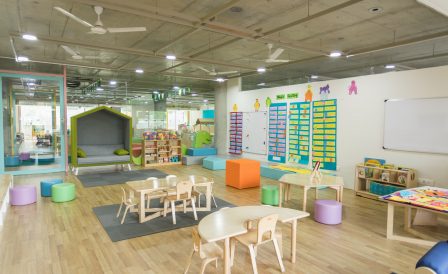
Дошкольная образовательная система Новой Зеландии
Выберите из множества образовательных центров для детей тот, который подходит вам по условиям пребывания и стоимости

18 июня 2022
Playcentre — центры для детей дошкольного возраста в Новой Зеландии
Новозеландские центры дошкольного образования при участии родителей